Lyrics on stage
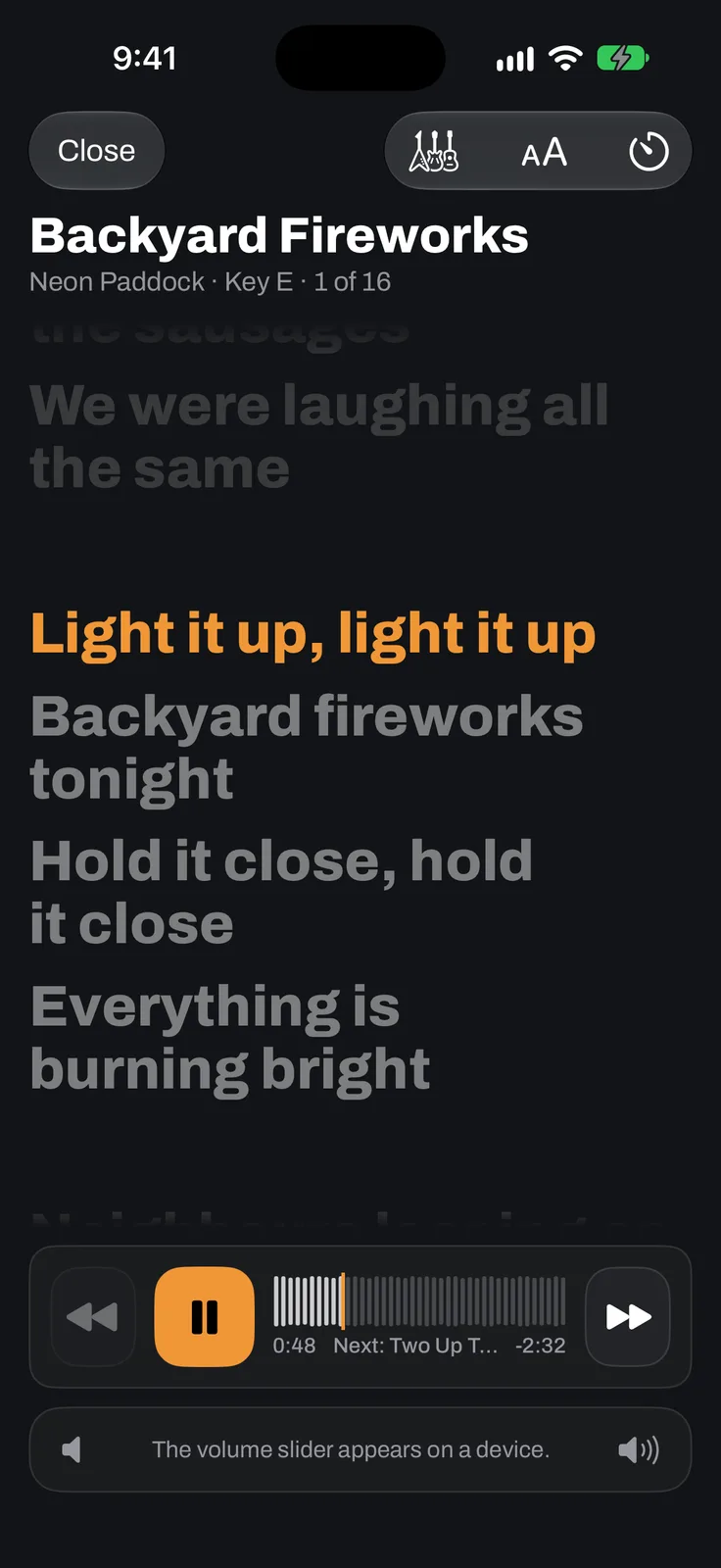
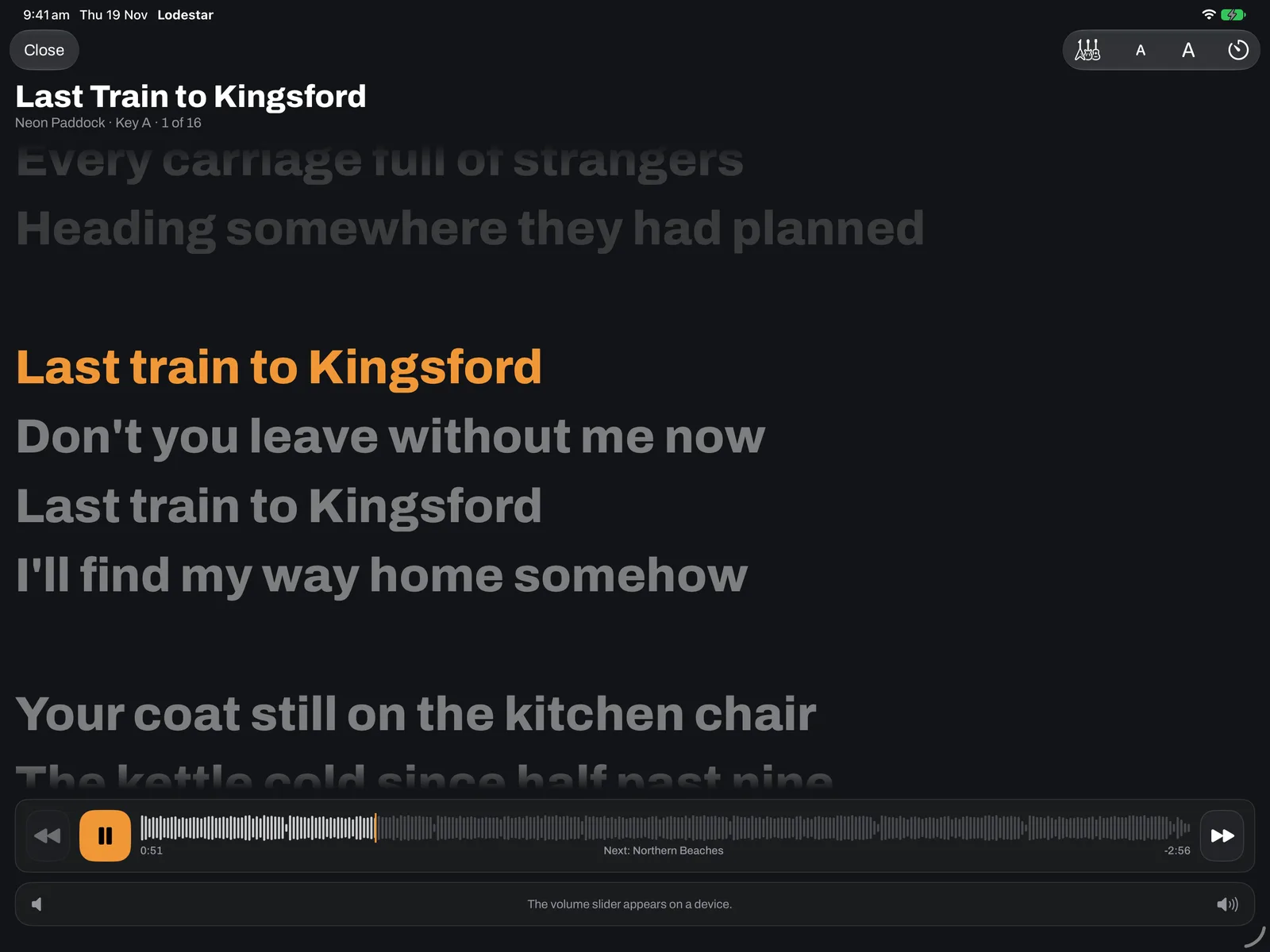
Tap Lyrics on the Now Playing card to show the current song's words full screen. Synced lyrics follow the song, line by line. Plain lyrics show as text you can scroll.
Why use it: No more lyric sheets on the floor or a tablet you scroll with one hand. The line you're singing is lit, and the next couple are ready below it.
Where lyrics come from
Ostinato shows, in this order:
- Lyrics saved in Ostinato, by importing a file, sharing a page from Safari, or with the sync editor. They're kept in the Lyrics folder of your library, and shared with your other devices.
- For Music songs, the lyrics stored with the song in Music. If those are written in LRC format, they're synced too.
Songs with synced lyrics have an LRC tag; songs with plain lyrics have a LYRICS tag. With no lyrics, the screen says No Lyrics, and how to add some.
A lyrics-only song has no backing track. With synced lyrics, press Play and the words follow a silent clock; with plain lyrics, scroll them yourself.
Synced lyrics
- The current line is lit in orange and stays about a third of the way down, so you can read ahead.
- Lines already sung fade, and lines still to come are dimmed. The top and bottom edges fade too, so your eye stays on the middle.
- During an instrumental gap, the lines clear, so you're not left staring at the last line.
- Scroll by hand to look ahead. The lyrics stop following, and a Follow button appears. Tap it, or wait a few seconds, and they catch up with the song.
The lyrics screen's buttons
| Button | What it does |
|---|---|
| Close | Back to the stage. With a pedal or keyboard, press Esc. |
| Chart | Opens the chart settings: words, chords or PDF, capo and spelling. With no chart yet, it starts a New Chord Chart. See Chord charts. |
| Lyrics Timing (the timer) | Nudges the lyrics earlier or later. See below. |
| Smaller Text, Larger Text | On iPad, two buttons. On iPhone, one Text Size menu. You can also pinch the lyrics. The size is remembered. |
The player bar
A bar at the bottom has Play/Pause, a slim waveform you can drag to move through the song, and the next song's name, such as Next: Saltwater Radio. So you can run the whole song from this screen. With a pedal or keyboard, L opens the lyrics from the stage.
Nudging the timing
Why use it: A file made for a slightly different version of the song can run a fraction early or late. A nudge fixes it in seconds, at soundcheck.
Tap Lyrics Timing and use:
| Button | What it does |
|---|---|
| Earlier | Shows every line 0.1 seconds earlier. |
| Later | Shows every line 0.1 seconds later. |
| Reset | Back to the timings in the file. |
The nudge is saved for that song only, on this device.
If the timing is off by more than a second or two, or only some lines are wrong, fix them in the sync editor. Saving new timings there resets the nudge.
Lyrics on other screens
- Mac: full-size lyrics in Perform, and on a TV or second display for the band. See Mac: performing.
- Remote control: a device running another device's show can open the lyrics full screen. See Remote control.
- Apple Watch: the current lyric line on the Chords screen. See Apple Watch.